
Zoho One Implementation for an Ontario Nonprofit
56
overdue second-grant installments identified; 25 resolved within three months
26
active grants can be now managed simultaneously
Volunteer training
scaled from 30–50 to 90+ registrations
Rapid growth created an unexpected challenge for this Ontario nonprofit: its operations were expanding faster than the systems supporting them.
In under two years, this Ontario nonprofit scaled from a small founding team to 30+ staff across 10 departments, including a 24/7 operations center, and grew from a regional to a national organization. Its operations relied on spreadsheets, PDFs, and email. Zoho One had already been purchased, but the organization wasn’t using anywhere near its full capability.
Customerization helped the organization turn an underutilized Zoho investment into a connected platform built around how its teams actually work.
the Company
This Ontario nonprofit coordinates support and resources across a large, decentralized network of partner sites, including schools, community centers, retailer locations, and social service agencies.
Its work is inherently high-stakes and high-trust: it operates a community volunteer corps, runs a grant program funding facility upgrades at partner sites, and coordinates closely with local authorities and community partners.
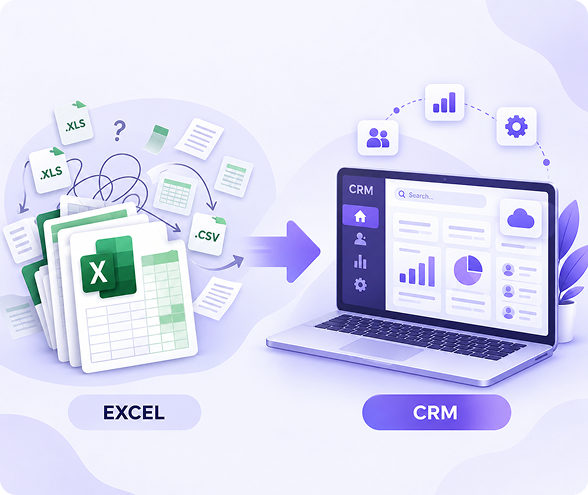
As the organization grew, in both staff and the number of institutions it worked with, so did the complexity of managing relationships among organizations, contacts, volunteers, and internal teams. It was managing all of this, alongside institutional relationships, grant applications, and volunteer operations, through spreadsheets and manual, disconnected processes.

The Problem: When Growth Outpaced the Process

There was no way to tell what role a person held (i.e. primary contact, emergency contact, member, or “head of”) or which institution that role belonged to. A person tied to multiple institutions had no way to reflect different roles, different contact details, or additional context per institution. Additionally, the same institution’s contacts were owned by whichever department built the relationship first, leaving other teams with no structured way to access information they often needed urgently.

Grant applications and payments were tracked manually through static PDF forms, Excel, and email, with no single view of where an application stood. One review of outstanding payments turned up 56 second-installment payments that had gone unpaid for over a year, simply because no one had visibility into what was still owed.

Volunteer recruitment and training relied on several disconnected spreadsheets, with interview scheduling handled one phone call at a time and attendance recorded by hand the day after each session.

With more teams needing to work off the same information, the real challenge went beyond replacing spreadsheets: it was connecting processes that had developed independently and giving different teams the structure and visibility to work together.
Why Zoho
Before selecting Zoho One, the organization reviewed several platforms, including Salesforce, Monday.com, and NationBuilder. The team didn’t choose based on name recognition or features alone. They looked for the platform that best matched their operational requirements and budget.
Zoho offered the combination of functionality, affordability, and flexibility the organization was looking for. With customization, it could support CRM, grant administration, volunteer management, communications, scheduling, reporting, and other operational needs within a connected environment. Previous CRM experience among team members also informed the decision.
Why They Needed a Partner

The organization knew Zoho held far more capability than it was using. As one leader put it, they were “still on the tarmac” and needed help “getting in the air.”
Early efforts to configure the platform hadn’t fully aligned with how the organization actually worked, and employees didn’t always feel their requirements were fully heard. Many continued relying on familiar spreadsheets rather than adopting the new system.
 
What the team needed was a partner who would sit with them, understand how each department worked, and translate that into solutions people would actually use.
That’s what led the organization to Customerization.
The Approach: Starting With the Process, Not the Platform
Customerization began with listening. Instead of jumping straight into configuration, the team sat down with each department to understand how they worked, where existing processes were breaking down, and what employees needed from the system, answering one question:
“What can we do in Zoho that will make your life easier?”
From there, improvements were introduced progressively. There were small, visible wins instead of a full system overhaul, helping teams move from manual processes toward a connected Zoho environment at a pace they could absorb.

The Solution: From Disconnected Workflows to Connected Operations
CRM foundation
Customerization began with the core CRM foundation, then turned disconnected processes into connected workflows, starting with the areas where manual work created the most friction.
The team built a dedicated CRM module to track each contact’s institutional roles. It captures which institution a person belongs to, what role they hold there, and lets one person hold different roles, with different contact details, across multiple institutions.
Targeted communications
That structure also became the foundation for more targeted communications. By integrating Zoho Campaigns with the new role classification, the organization could send segmented communications (emergency, non-emergency, community updates) built directly on each contact’s institutional role instead of one undifferentiated list.
Grant management
Grant management went through the same kind of overhaul. Previously, the application itself was a static PDF, and the entire process, submission, approval, tracking installments, ran outside any system, tracked manually in Excel. As one team lead described it:
“it was next to impossible for me to find the second installment from a grant… where do I find that information?”
Customerization rebuilt the process around Zoho’s CRM and Forms:
- The application itself became a Zoho Form, sent to institutions via a trackable email link. Submitted data auto-populates a corresponding Deal record, eliminating manual data entry on the team’s side.
- Each Deal moves through a structured, multi-step approval, routed through institution managers and the CEO, before funds are released.
- The system tracks what a site audit recommended against what the institution actually implemented, closing a gap that previously had no link between the two.
- Disbursement itself is staged: an approval-gated first installment, followed by a second installment released only after an on-site visit confirms the work was completed. That second payment used to be easy to lose track of entirely.”


The organization’s separate, government-funded grant stream is structurally similar but requires an added expression-of-interest stage and a four-party signature process. The same Forms-to-CRM foundation supports both stages, with the final signed agreement stored directly against the application record.
“everything just goes into one place, so I don’t have to chase everybody around and say like, ‘did you get that? Did you get this?’”
Within three months of the initial review, 25 of the 56 outstanding second installments were resolved. At any given time, the team now manages up to 25–26 active grants simultaneously. This is work that previously required cross-referencing OneDrive folders, email threads, and individual spreadsheets just to determine where a single application stood.
Volunteer operations
Previously, interview scheduling meant calling each applicant individually, often a five-to-ten-minute call just to find a time that worked. Attendance was tracked by hand the day after each session, with a running tally of missed sessions kept manually. As the volunteer coordinator put it:
“if every phone call takes me 10 minutes, it would take me a lot of time instead of just sending an email.”
Applications come in through Zoho Forms and automatically create a Deal record, triggering the workflow from that point forward.
Once vetting fields on the Deal are complete, Zoho Bookings automates interview scheduling. Volunteers pick their own time from available slots instead of coordinating by phone.
Accepted volunteers select a training cohort through Zoho Forms, which auto-enrolls them in the full set of required training-session attendance records.
Volunteers receive a code the day before each session, staff scan it on arrival, and a next-business-day reconciliation step lets staff confirm genuine no-shows versus missed scans.
Missed-session tracking is automated, two missed sessions trigger an automatic “lapsed” flag and notification, replacing what had been a manual tally kept session by session.
The scheduling change alone handled a volume that would have been difficult to manage by phone: one cohort drew more than 90 registrations, requiring 18 interviews booked in a single day. As the coordinator described the shift: “they just go, book the meeting that they want to book and the time that they want to book,” instead of working around a single staff member’s calendar. On the attendance side, the new flagging system replaced what had been an entirely manual count: “I would have a count on the far right of my table of the number of missed sessions” all now tracked automatically, with staff notified rather than having to check.
The Wins: Less Chasing, More Visibility, Greater Scale
Beyond the numbers, the deeper shift was in how the organization’s teams, and the partners and volunteers they serve, experienced the work day to day.
Employees who were resistant to leaving their spreadsheets at the start became active users pushing for more. Early on, proposed changes were “immediately shut down,” with teams preferring familiar Excel processes. That changed gradually, through hands-on demonstrations instead of top-down mandates. Within a few months, the tone in meetings had shifted entirely:
“Now it’s ‘show me, how can we do it? Can we add this? Can it do this? How much further can we push it? What else can we add?’”
The change was just as visible externally. Grant applicants and volunteers now interact with the organization through web forms, self-service bookings, and e-signatures instead of PDFs, and it shows. As one team lead put it, comparing the new process to the old:
“I think it looks much more professional than getting an email from me with a PDF application attached.”
Volunteers noticed the same shift in scheduling their own interviews rather than coordinating by phone:
“it didn’t look professional. Now they just click on a link and see all the days that we have availability for.”
What Made This Work: A Strategic Technology Partner, Not Just a Vendor
What made the difference was the approach to understanding the people who’d actually use it, not another configuration.
Customerization worked directly with individual teams to understand their processes, pain points, and priorities before deciding what to configure or customize. Instead of asking employees to adapt to a predetermined system, the team listened first and built solutions around how the work was actually being done. Adoption happened gradually, through practical demonstrations, targeted training, and visible improvements that showed employees how the system could make their work easier.
What began as an effort to consolidate disconnected processes into a single system became something broader: a foundation the organization could continue to build on as it grew.

About Customerization

Customerization is a Zoho-focused business consulting and implementation partner that helps organizations turn technology into practical solutions for how they actually work. Our team handles CRM implementation and customization, process automation, integrations, training, and ongoing support, combining technical expertise with a deep understanding of business processes to build systems that support long-term growth.
Ready to Get More From Zoho?
New to Zoho, stuck with a setup that isn’t working, or ready to take it further? Customerization can help you build a solution tailored to your processes, people, and goals.
Contact us to discuss your Zoho project