- 1. Zia — The AI Already Inside Your CRM
- 2. Claude — When You Want to Actually Talk to Your Pipeline
- 3. Synthflow AI — Voice Agents for Inbound Calls
- 4. Bolna AI — Voice-First Lead Capture
- 5. Copilot-Style Assistants
- 6. AutoGen — Multi-Agent Automation for Technical Teams
- 7. Chatbots for Lead Capture
- 8. Niche Tools Like SimpleTalk AI
- Quick Comparison
- Which is the Best AI Tool in 2026?
- Ready to Add AI to Your Zoho CRM — the Right Way?

If your sales reps are still manually sorting through leads at 6pm on a Friday, something is clearly off. Zoho CRM is a capable platform on its own, but in 2026 the real question isn't whether to add AI to it. It's which AI, connected how, for what problem.
This isn't a roundup of every plugin that mentions Zoho CRM AI on its landing page. It's a practical look at what's actually worth your time, how each integration works, and which type of team each tool is the right fit for.
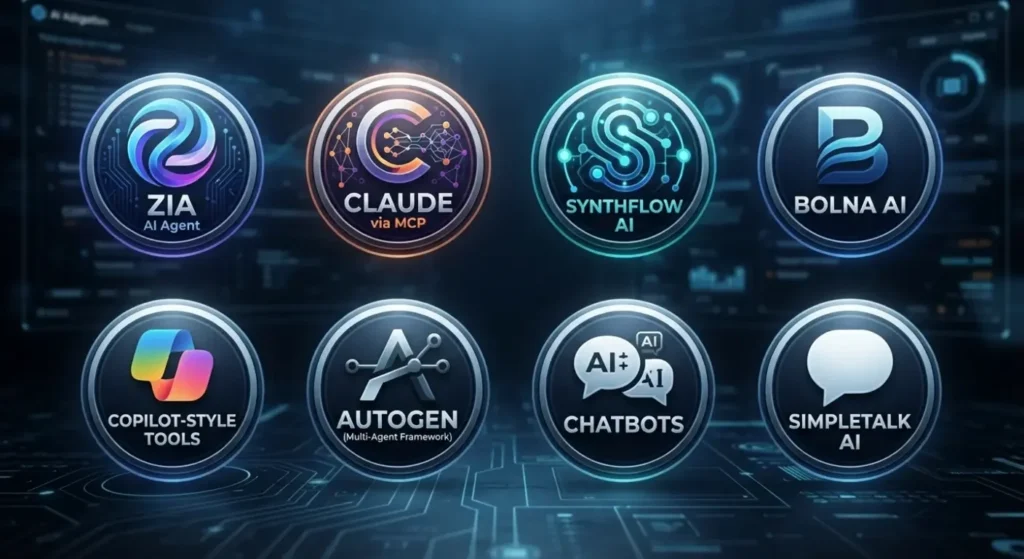
1. Zia — The AI Already Inside Your CRM
Before you spend money anywhere else, check what you already have. Zia is Zoho's built-in AI. No integration, no setup, it's already reading your pipeline data from day one.
| Zia Feature | What It Does |
| Lead and deal scoring | Ranks records by likelihood to convert or close |
| Best Time to Contact | Suggests when to call or email a specific lead |
| Sentiment analysis | Flags negative tone in emails before a deal goes cold |
| Anomaly detection | Catches unusual drops or spikes in sales activity |
| Ask Zia | Query your CRM data in plain English |
| Zia Agent Studio | No-code builder for autonomous agents (Ultimate plan) |
We see this mistake constantly. Teams on Enterprise plans go looking for top ai powered crm tools better than zia zoho, assuming they need something more advanced, when they've literally never opened the Zia panel. The tool is already active in your account. Before you burn the budget on third-party software, maximize what you're already paying for. True zoho crm automation with ai doesn't automatically require signing a new vendor contract.
2. Claude — When You Want to Actually Talk to Your Pipeline
Claude connects to Zoho CRM through Zoho's MCP server, which exposes your CRM modules as live tools the AI can call directly. Once it's running, you skip the dashboard hunt. You just ask things like "which deals have gone quiet for two weeks?" and get a real answer from your actual data.
How to connect Zoho CRM to Claude AI, without overcomplicating it:
- Register Zoho's MCP server and generate API credentials
- Secure the connection using standard OAuth 2.0 authentication
- Start with read-only permissions, no exceptions
- Connect Claude to the MCP endpoint and test it on a sandbox account before going live
On Zoho CRM ai implementation in general, the one thing worth repeating is this: don't give a connected AI write access on day one. Run it read-only for a couple of weeks. Watch how it handles your actual records. Then expand access once you've seen enough to trust it.
The Zoho CRM ai capabilities this unlocks are most useful for reporting and pipeline visibility. Reps stop hunting through filters to find basic answers. That time adds up fast.
3. Synthflow AI — Voice Agents for Inbound Calls
If someone on your team is picking up every inbound call just to figure out if the lead is worth having a real conversation with, Synthflow fixes that.
You get custom voice agents to pick up the phone, ask the right qualifying questions, and handle the data entry. Setting up a synthflow-ai zoho-crm integration means the second a call finishes, the transcript, lead status, and notes instantly drop into your CRM via webhooks or Zapier. If you need a reliable voice ai for sales zoho crm integration, this is easily one of the sharpest setups on the market.
Good fit for businesses getting a steady flow of inbound calls where not every one needs a human picking up.
4. Bolna AI — Voice-First Lead Capture
Bolna sits in similar territory to Synthflow but focuses more tightly on lead capture. A bolna ai zoho crm integration lead capture setup works like this: the voice agent handles the first conversation, pulls out the key details like budget, timeline, and intent, and creates the Zoho lead record on its own, already tagged with a qualification score.
This is also one of the more practical answers for voice ai for sales zoho crm integration when you want qualification to happen before a rep is even involved. High call volume teams tend to get the most out of it.
The Zoho CRM sales ai agents doing this work don't take lunch breaks or have bad days, which matters when you're dealing with volume.
5. Copilot-Style Assistants
A copilot-ai zoho-crm integration isn't really one specific product. Think of it as a workflow strategy rather than a single app. A smart assistant lives directly in your reps' daily screens—drafting their follow-ups, condensing call notes, and logging the data straight to the CRM so they never have to switch tabs.
Microsoft Copilot fits this pattern. Several Zoho-specific email assistants do too. The value isn't transformative but it's real. Fewer reps typing the same email twelve times a day by hand.
6. AutoGen — Multi-Agent Automation for Technical Teams
This one is different from everything else on the list. Microsoft’s AutoGen lets you build an entire crew of AI workers—picture one agent digging up lead background, a second writing the pitch, and a third updating the CRM, all running on their own. But be warned: to connect Zoho CRM to autogen ai, you will be writing raw custom code to hit Zoho’s REST API right inside your pipeline.
If you're asking how to connect Zoho CRM to autogen ai?, treat it as a development project. Expect to spend actual developer hours, isolate your tests in a sandbox, and strictly limit the AI to read-only at first. This route is strictly for teams with dedicated developers who want complete, granular control over workflows that standard plugins can't touch.
7. Chatbots for Lead Capture
Most zoho crm ai chatbots for businesses live right on your site or WhatsApp, talking to visitors, checking their qualification criteria, and feeding the resulting lead directly into your CRM. Zoho's own SalesIQ handles this natively. Third-party builders can connect via webhook if you need something more customised.
The use case is simple. Prospects browse your site at all hours. Having a chat agent running means you never stop capturing and screening leads, even when your reps are asleep.
8. Niche Tools Like SimpleTalk AI
Can simpletalk ai be used alongside zoho crm? Generally yes. Most modern conversational AI tools support webhook or API output, which means the conversation outcome can land in a Zoho Lead or Contact record even without a native connector. Always verify their latest webhook or Zoho connector docs before buying—these platforms ship updates so fast that their own marketing pages often lag behind.
Quick Comparison
| Tool | Type | Setup Effort | Good For |
| Zia | Native | None | Scoring, predictions, basic automation |
| Claude via MCP | Conversational AI | Medium | Reporting, pipeline queries |
| Synthflow AI | Voice agent | Medium | Inbound call handling |
| Bolna AI | Voice agent | Medium | Lead capture via voice |
| Copilot-style tools | Generative assistant | Low to Medium | Email drafting, call notes |
| AutoGen | Agent framework | High | Custom multi-step workflows |
| Chatbots | Conversational | Low to Medium | Website or WhatsApp capture |
| SimpleTalk AI | Conversational | Low to Medium | Niche conversational use cases |
Which is the Best AI Tool in 2026?

There isn't a one-size-fits-all winner.
If reps are buried in unqualified leads, a voice agent like Synthflow or Bolna tends to pay for itself fast. If the problem is visibility and your team spends too long hunting for basic answers, a conversational layer like Claude solves that more directly. If you need something no existing connector can handle, AutoGen gives you that control, but it costs engineering hours, not a subscription.
For most teams already thinking about zoho crm marketing ai agents, the practical starting point is this. Turn Zia on first and actually use it. Add a voice or chat agent for lead capture once that's running. Layer in Claude for reporting and pipeline queries after that. Save the custom AutoGen builds for when you've genuinely outgrown what best ai crm automation tools can offer off the shelf.
Keep these hard rules in mind before deploying anything:
- Pilot on one pipeline stage before rolling it out CRM-wide.
- Force your human reps to manually approve any AI-written emails for the first 30 days.
- Always recheck integration documentation close to launch because steps change.
- Don't let multiple tools write to the same CRM fields. Pick one source of truth per data point.
The Zoho CRM ai capabilities on the market today are game-changers. However, you'll see the biggest ROI when you stack these tools on top of your existing Zia setup, rather than trying to reinvent the wheel from scratch.
Want help setting this up properly?
Customerization is a Zoho Premium Partner that helps businesses get more out of their CRM without trial-and-error. Whether you're connecting AI tools, cleaning up your pipeline, or starting fresh with Zoho, their team has done it before.
Ready to Add AI to Your Zoho CRM — the Right Way?
Customerization is a Zoho Premium Partner that helps you pick and set up the right AI tools for your team, without the guesswork or extra subscriptions. Book a free 30-minute discovery call.
Book a Free Call